Announcement bar with countdown
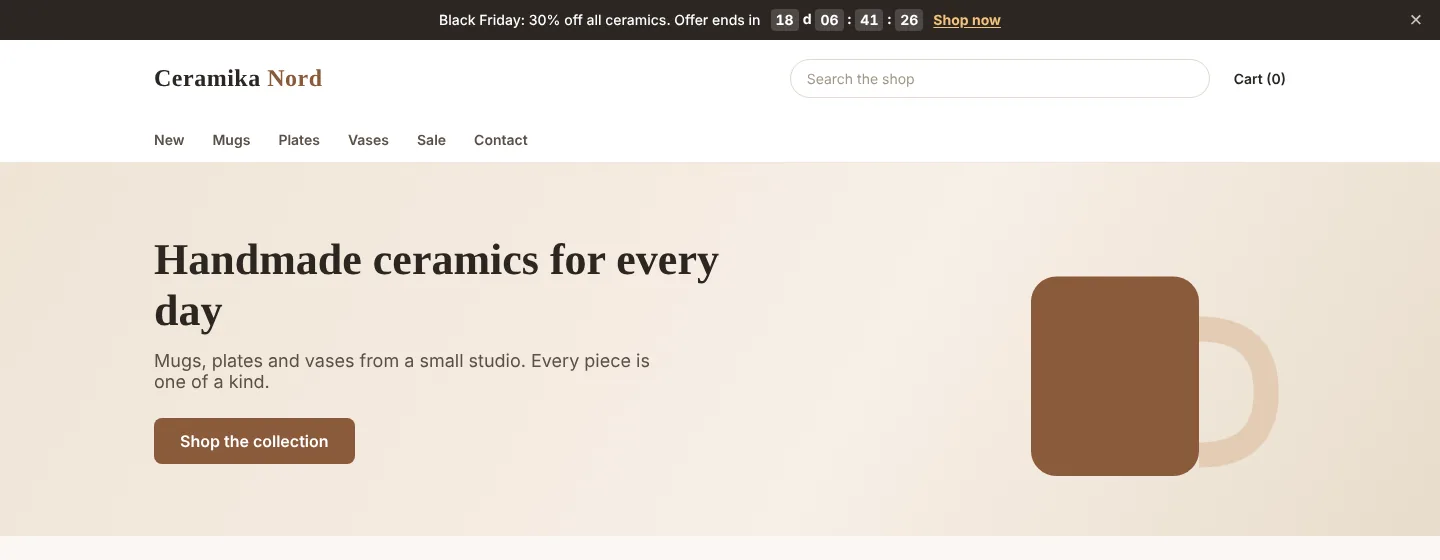
Messages at the top of every page: free shipping, offers and a countdown to the end of a sale or to today's shipping cut-off.
A further year of updates: 59 zł · PrestaShop versions: 8.1 - 9.x · Version 1.2.0
What it does
- ✓Up to 20 rotating messages
- ✓Countdown to a date and time, e.g. the end of a sale
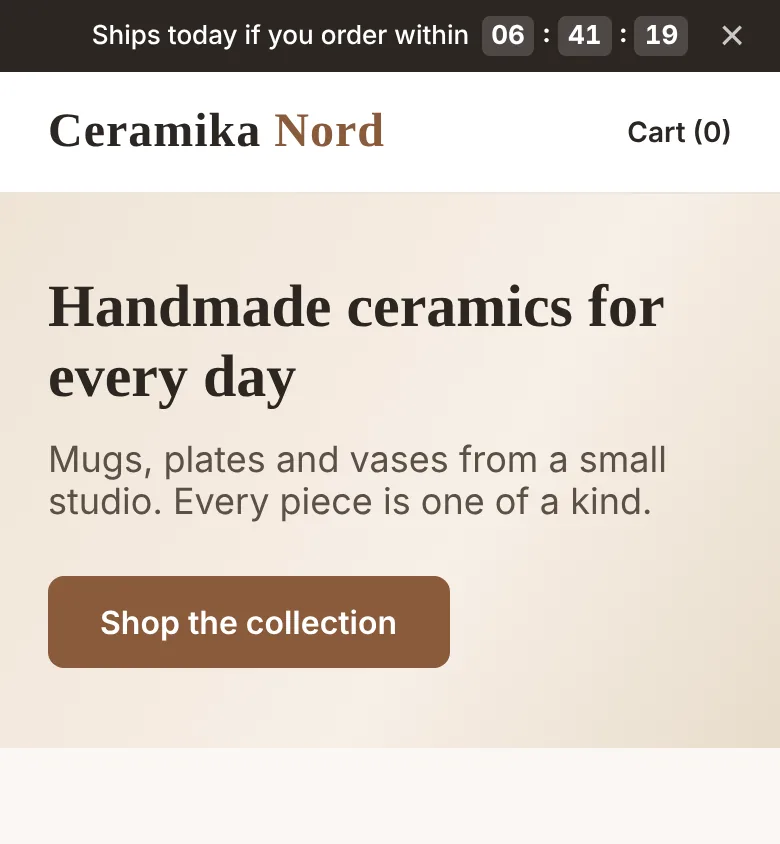
- ✓Daily countdown to the shipping cut-off on chosen days
- ✓Schedule: show from - until
- ✓Pages: home, products, categories, cart
- ✓Separately for computers and phones
- ✓Text and link in every shop language
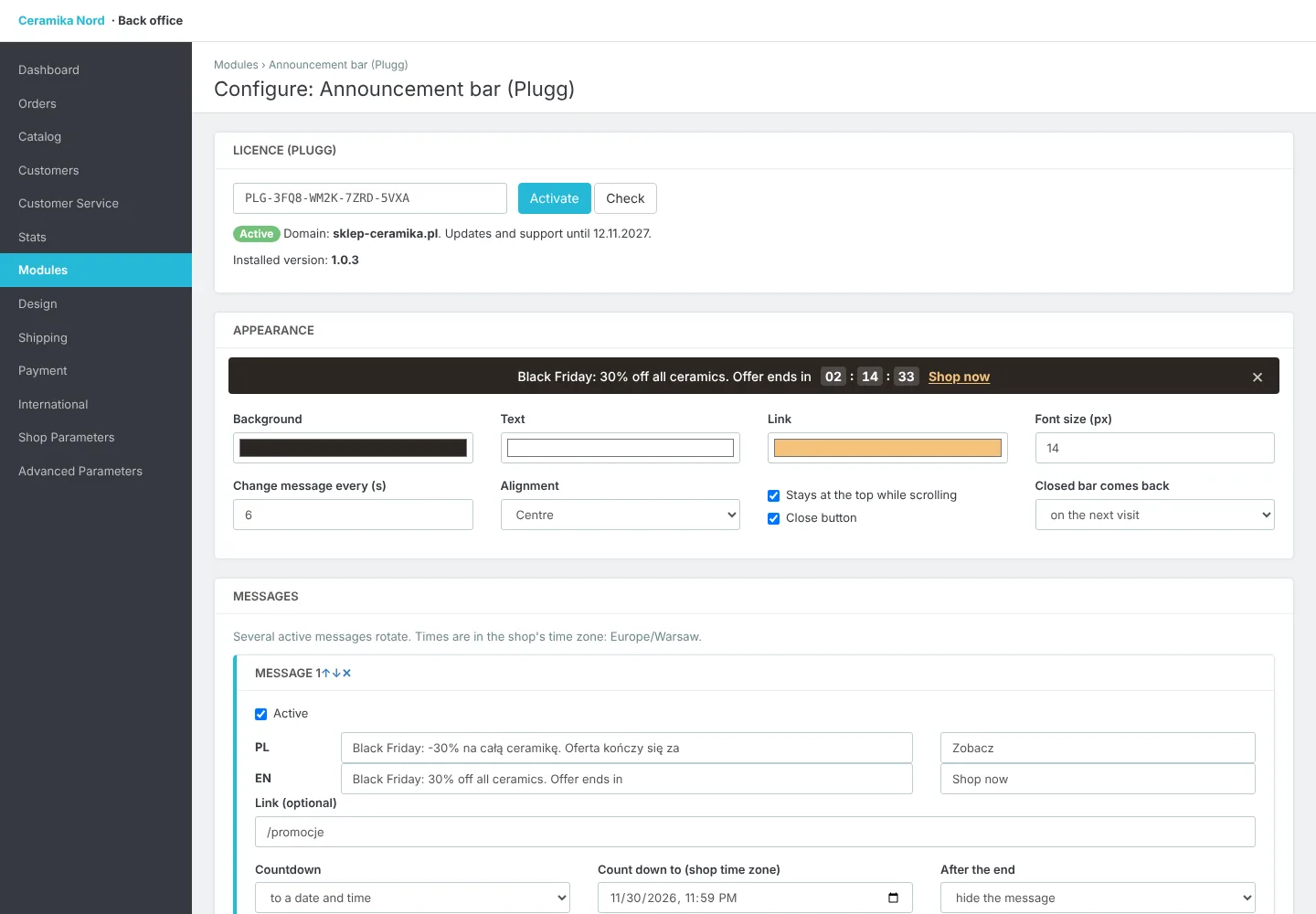
- ✓Colours, size, sticky bar and close button
- ✓Live preview in the back office
- ✓PrestaShop 8.1 - 9.x
An announcement bar is the simplest way to make sure every customer sees what matters most right away: free shipping from a set amount, a running sale, a discount code or changed shipping times. The module shows your message at the very top of every page of your PrestaShop store, and when you add several messages they rotate.
The countdown is what makes it work. Count down to a date, for example the end of Black Friday, or every day to an hour on chosen weekdays: “Order within 02:14:33 and we ship today”. Time runs in the shop's time zone, so every customer sees the right deadline, and afterwards the message hides itself or stays without the timer.
Each message has its own schedule (from and until), pages (all, home, products, categories, cart and checkout) and devices (computers or phones), with text and link in every shop language. Colours, text size, a sticky bar and a close button are set in the back office with a live preview.
Works with PrestaShop 8.1 to 9.x. No layout jump while the page loads, and it works with page-cache modules because time and device are checked in the customer's browser.
How the licence works
- 1
You pay once and get a licence key and a .zip file to download.
- 2
Upload the module in PrestaShop and enter the key. The licence is bound to your store's domain (test subdomains work too).
- 3
Updates and support are included for a year. The module keeps working after that, and you can renew updates.