Cookie banner with Google Consent Mode v2
GDPR cookie consent: accept, reject or choose categories, Google Consent Mode v2 and blocking of tools until consent.
A further year of updates: 59 zł · PrestaShop versions: 8.1 - 9.x · Version 1.1.2
What it does
- ✓Accept, reject or choose categories
- ✓Google Consent Mode v2 with no setup
- ✓Works with Google Tag Manager and Google modules
- ✓Holds Meta Pixel, TikTok, Hotjar and others until consent
- ✓Blocking of chosen modules and scripts
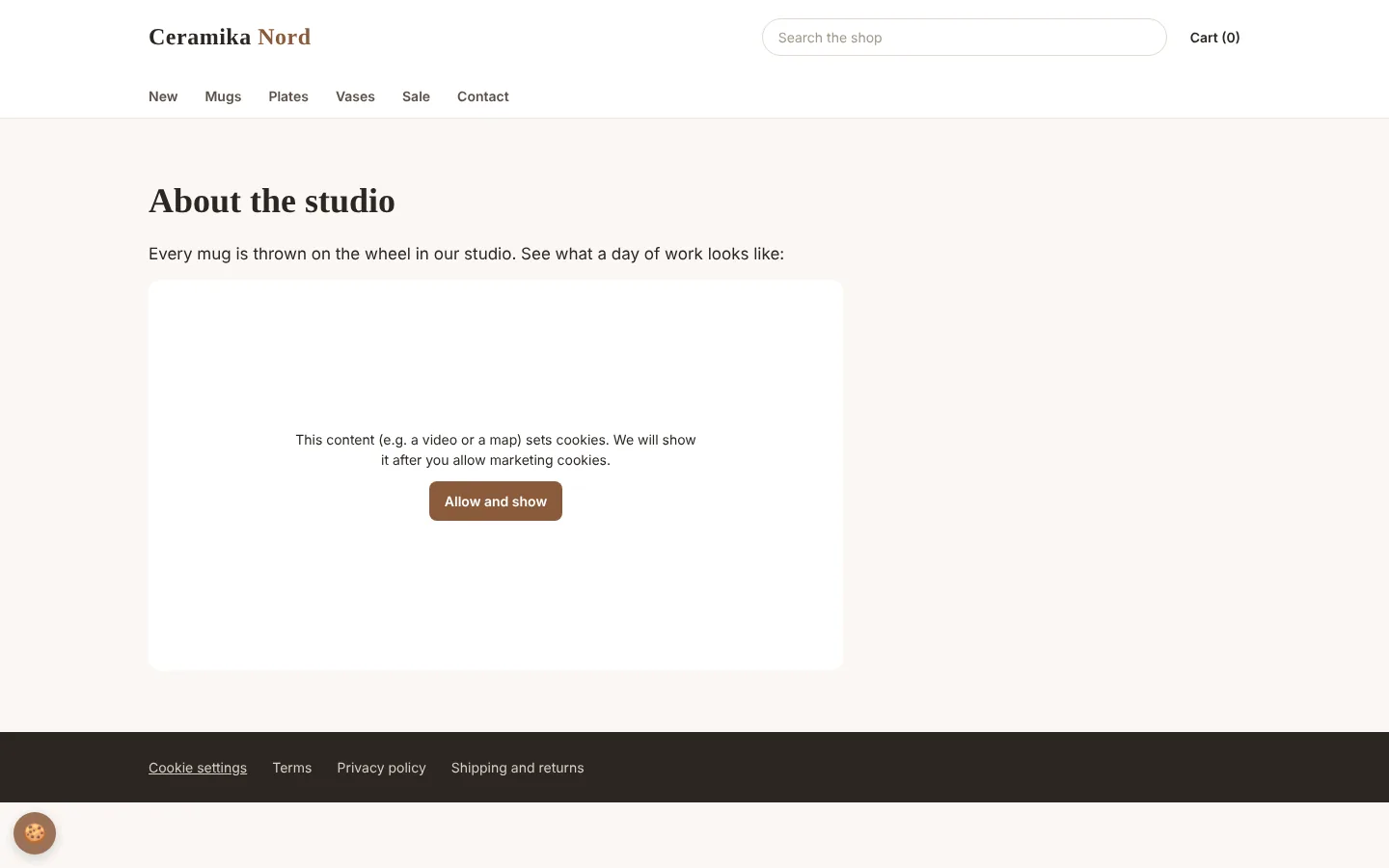
- ✓YouTube videos and Google Maps only after consent
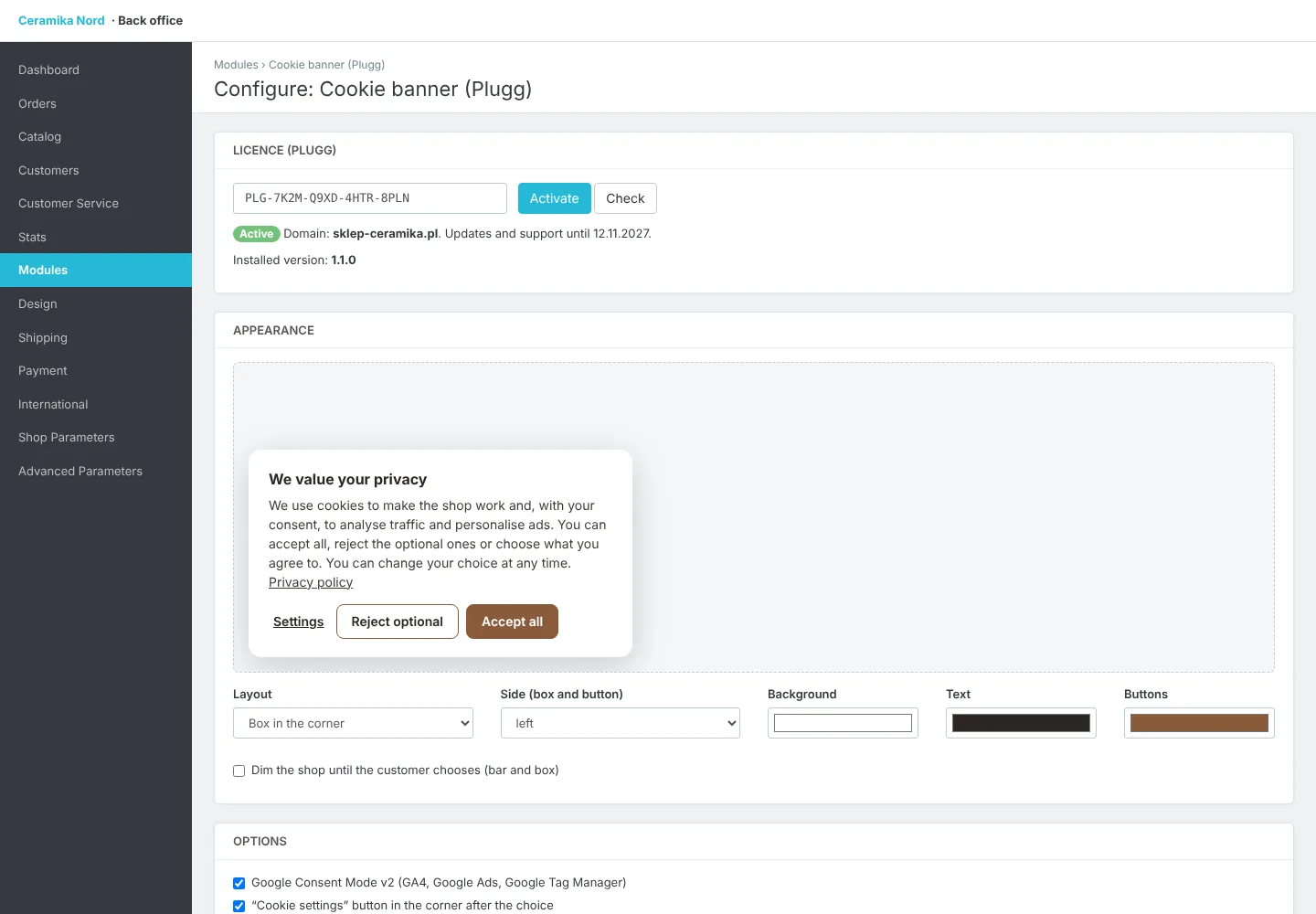
- ✓Bar, corner box or window, optional shop dimming
- ✓Colours and texts in every shop language
- ✓Button to change consent any time
- ✓Consent register (no IP addresses) and CSV export
- ✓PrestaShop 8.1 - 9.x
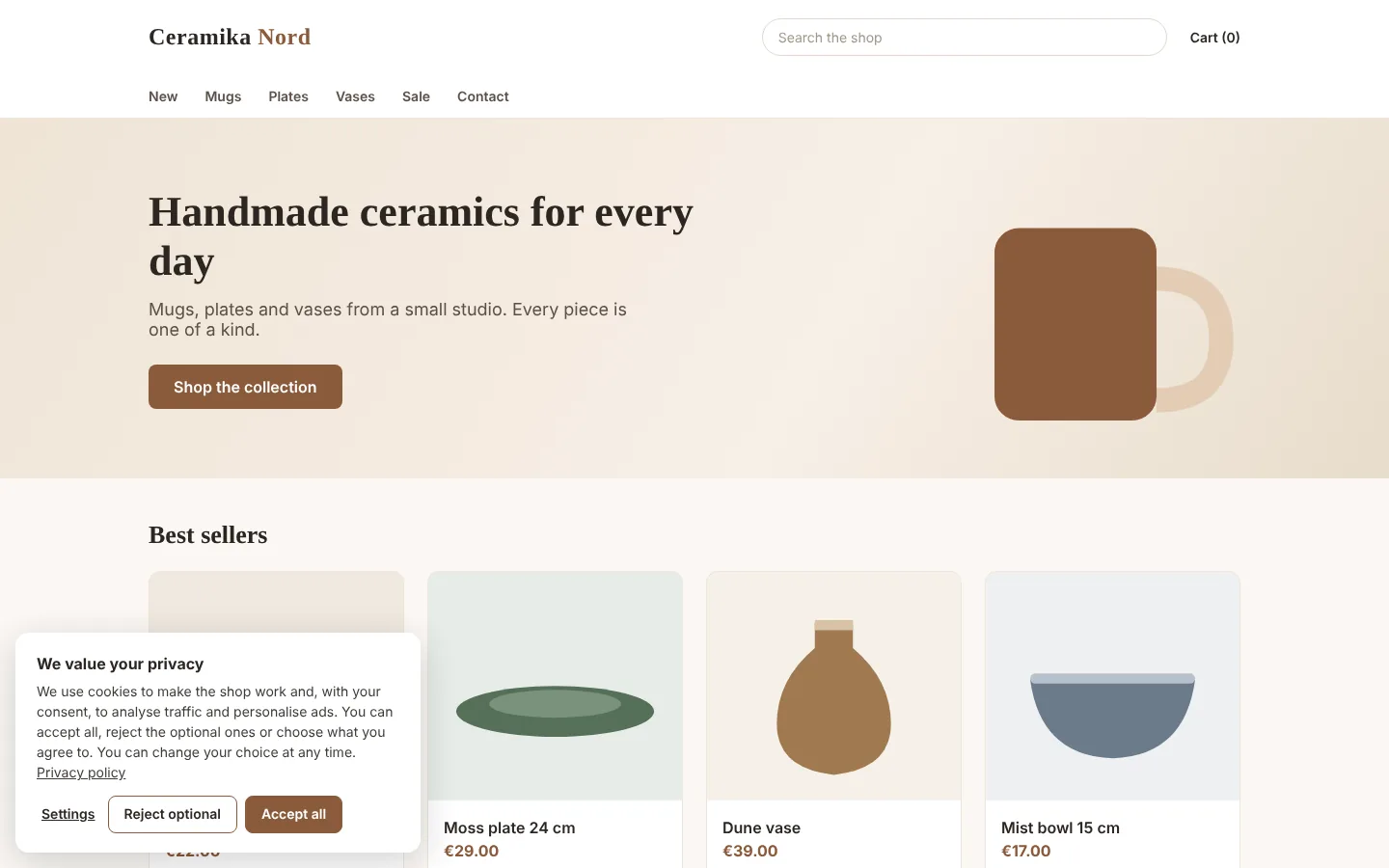
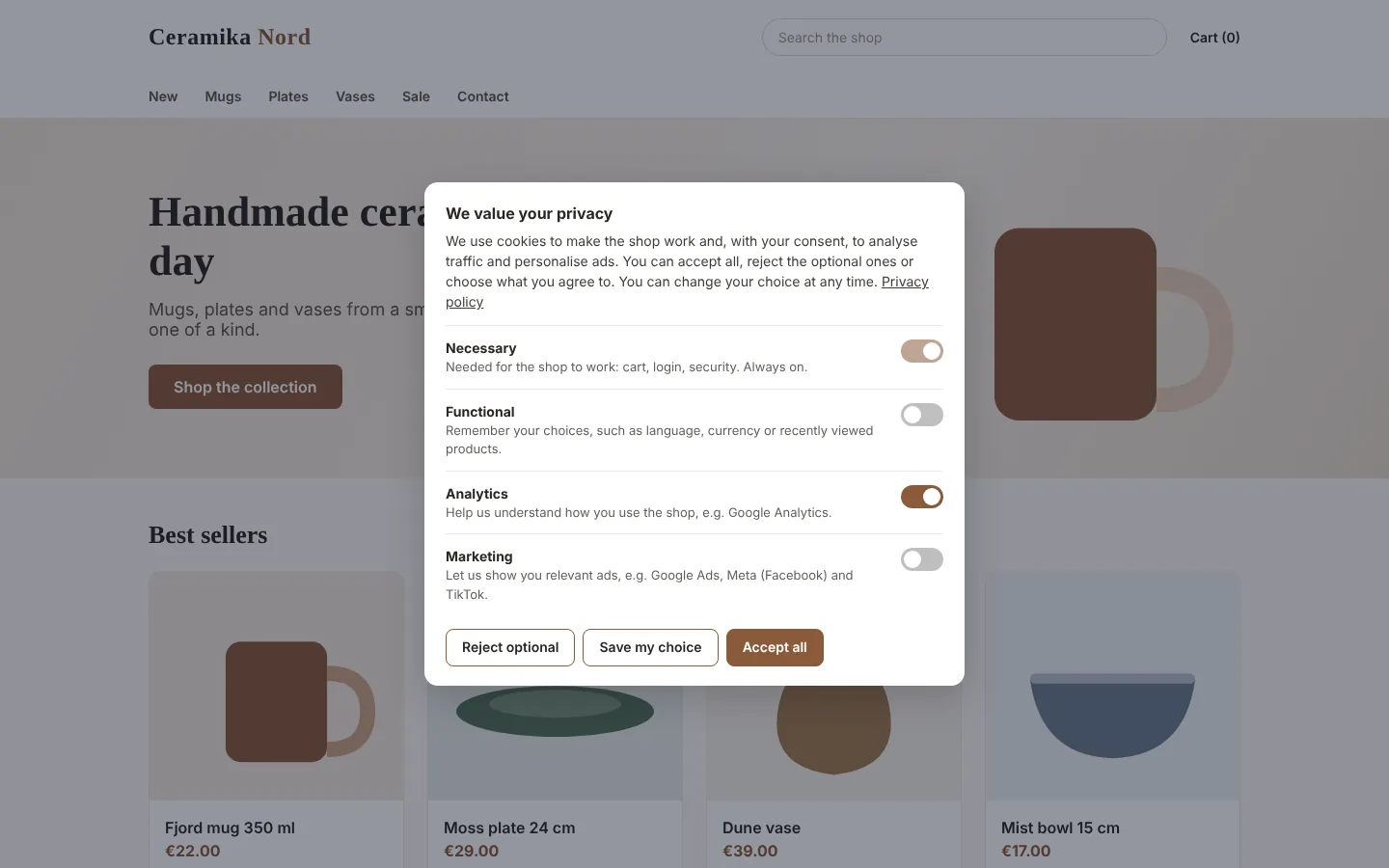
Every shop that uses Google Analytics, Google Ads, Meta Pixel or other analytics and advertising tools has to ask customers for consent before those tools store anything in their browser. This module does it properly: customers see a clear banner with “Accept all”, “Reject optional” and “Settings”, where they switch categories on or off: functional, analytics and marketing.
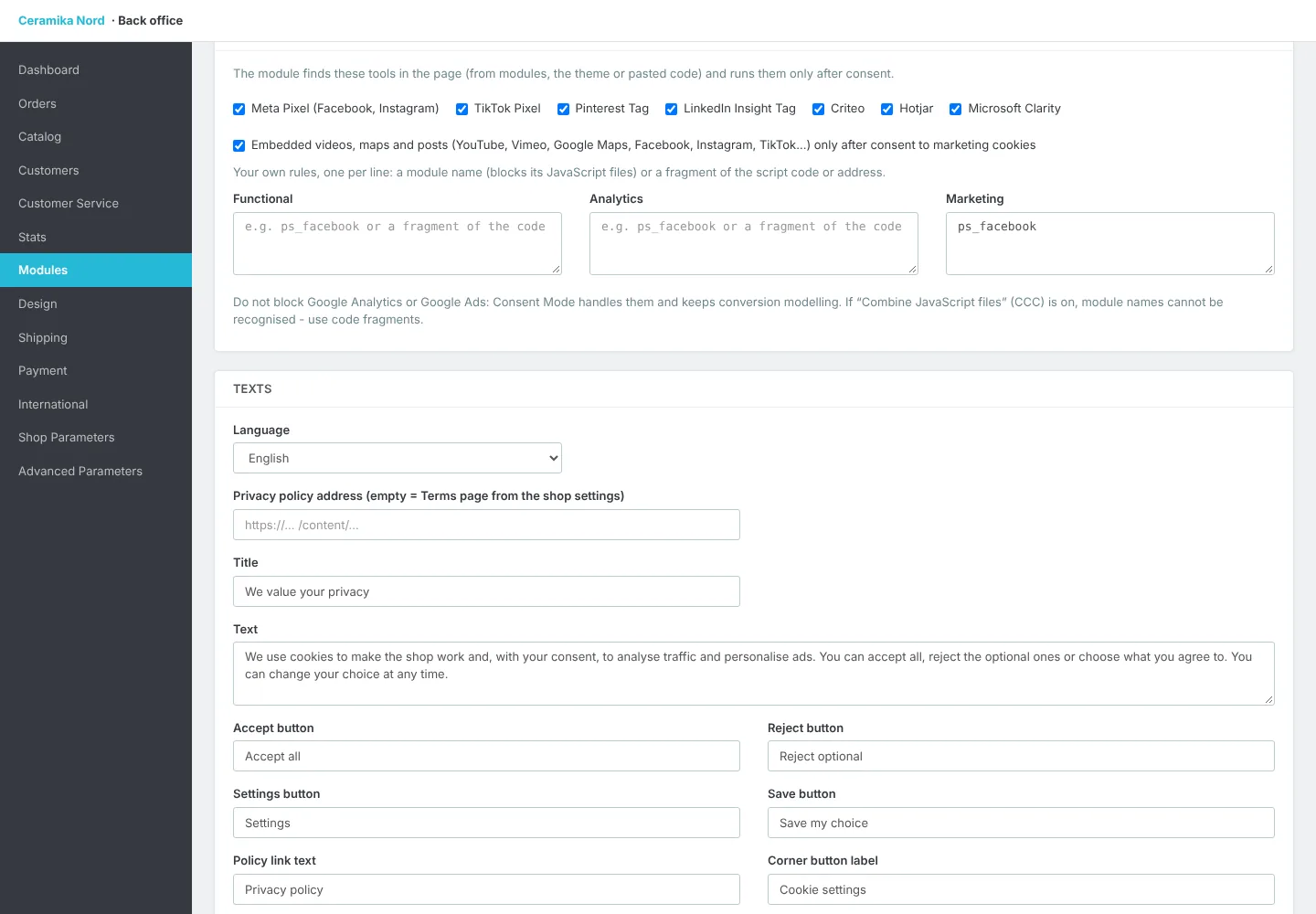
Google Consent Mode v2, which Google requires from advertisers in Europe, works out of the box. All consents are denied by default, and after the customer chooses, the module tells Google what they agreed to. It works with the official Google modules, Google Tag Manager and hand-pasted code, with no extra setup. The module finds Meta Pixel, TikTok Pixel, Pinterest, LinkedIn, Criteo, Hotjar and Microsoft Clarity on the page and holds them until consent, whether a module, the template or pasted code added them. You can also block chosen modules by name or any script by a fragment of its code. Embedded YouTube and Vimeo videos, Google Maps and social media posts load only after consent, with an “Allow and show” button in their place until then.
Choose the look: a bar at the bottom, a box in the corner or a window in the middle, colours and every text in each shop language, with a live preview. The shop can be dimmed until the customer chooses. After the choice a small button stays in the corner so customers can change their mind any time, and you can add a #cookie-settings link, e.g. in the footer.
The module keeps a consent register as proof for GDPR (without storing IP addresses), shows 30-day statistics and exports the register as a CSV file. It asks again after 3, 6 or 12 months, and after adding a new tool you can ask all customers again with one click. Search engine robots do not see the banner. Works with PrestaShop 8.1 to 9.x, without ionCube and with page-cache modules.

How the licence works
- 1
You pay once and get a licence key and a .zip file to download.
- 2
Upload the module in PrestaShop and enter the key. The licence is bound to your store's domain (test subdomains work too).
- 3
Updates and support are included for a year. The module keeps working after that, and you can renew updates.