Lowest price in 30 days (Omnibus)
Price history and the lowest price in the 30 days before a discount next to every promotion, on the product page and in lists, as EU law requires.
A further year of updates: 59 zł · PrestaShop versions: 8.1 - 9.x · Version 1.0.0
What it does
- ✓Lowest price in the 30 days before every discount
- ✓On the product page and in product lists
- ✓Every combination separately
- ✓Stable value during the same promotion
- ✓Products offered for less than 30 days
- ✓History on edit, on display and by a daily cron
- ✓Customer currency, gross or net
- ✓Text in every language, also with the discount in %
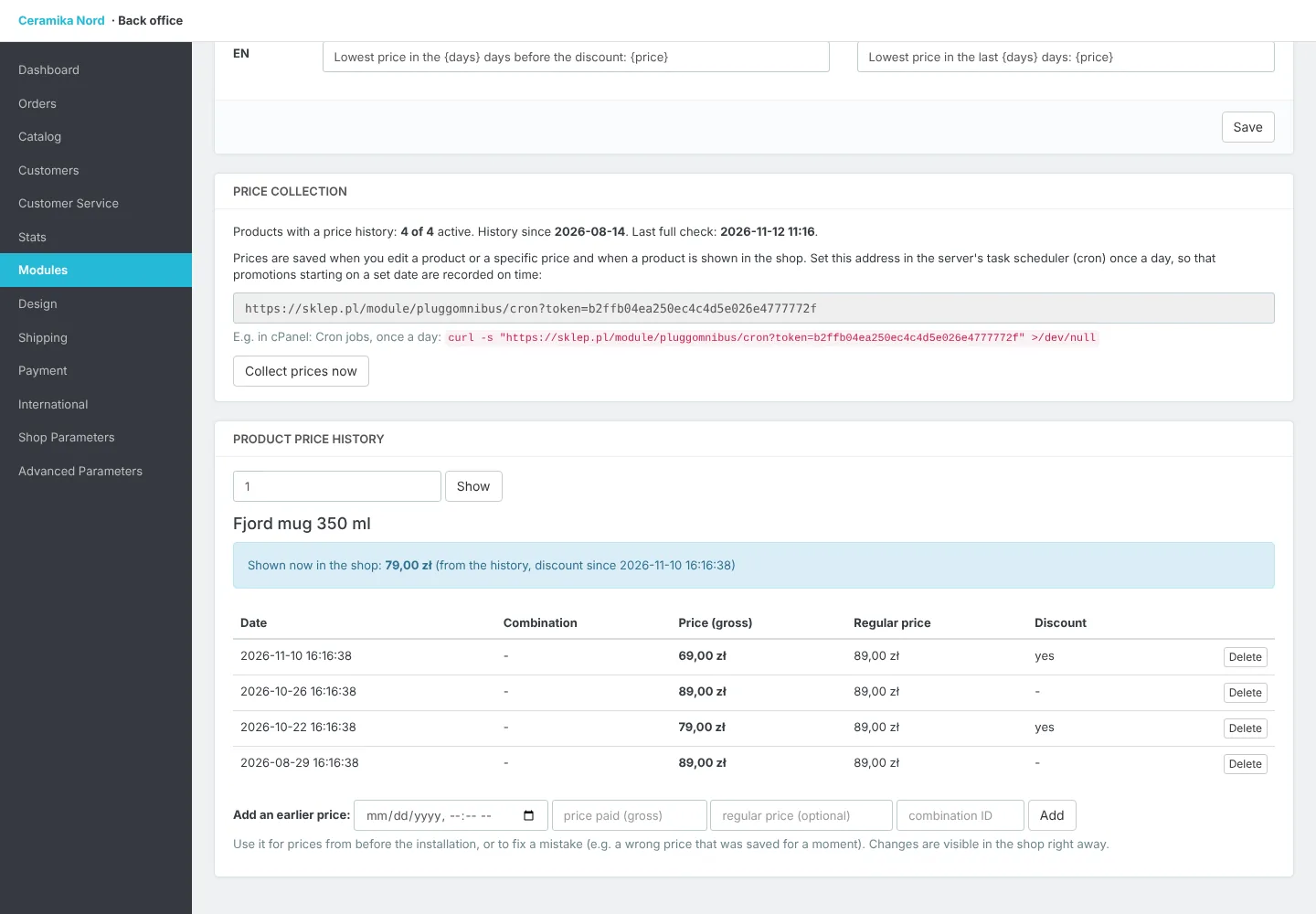
- ✓View, correct and complete the price history
- ✓PrestaShop 8.1 - 9.x
Since 2023 every shop that shows a price reduction in the EU has to show the lowest price of that product in the 30 days before the reduction. The Omnibus directive requires it and consumer authorities check shops and impose fines. This module does it in PrestaShop automatically.
The module keeps the price history of every product and every combination: the price after discounts and the regular price, gross and net. Prices are saved when a product, a combination or a specific price is edited, when a product is shown in the shop and once a day by a cron task, so promotions scheduled for a date are recorded on time too.
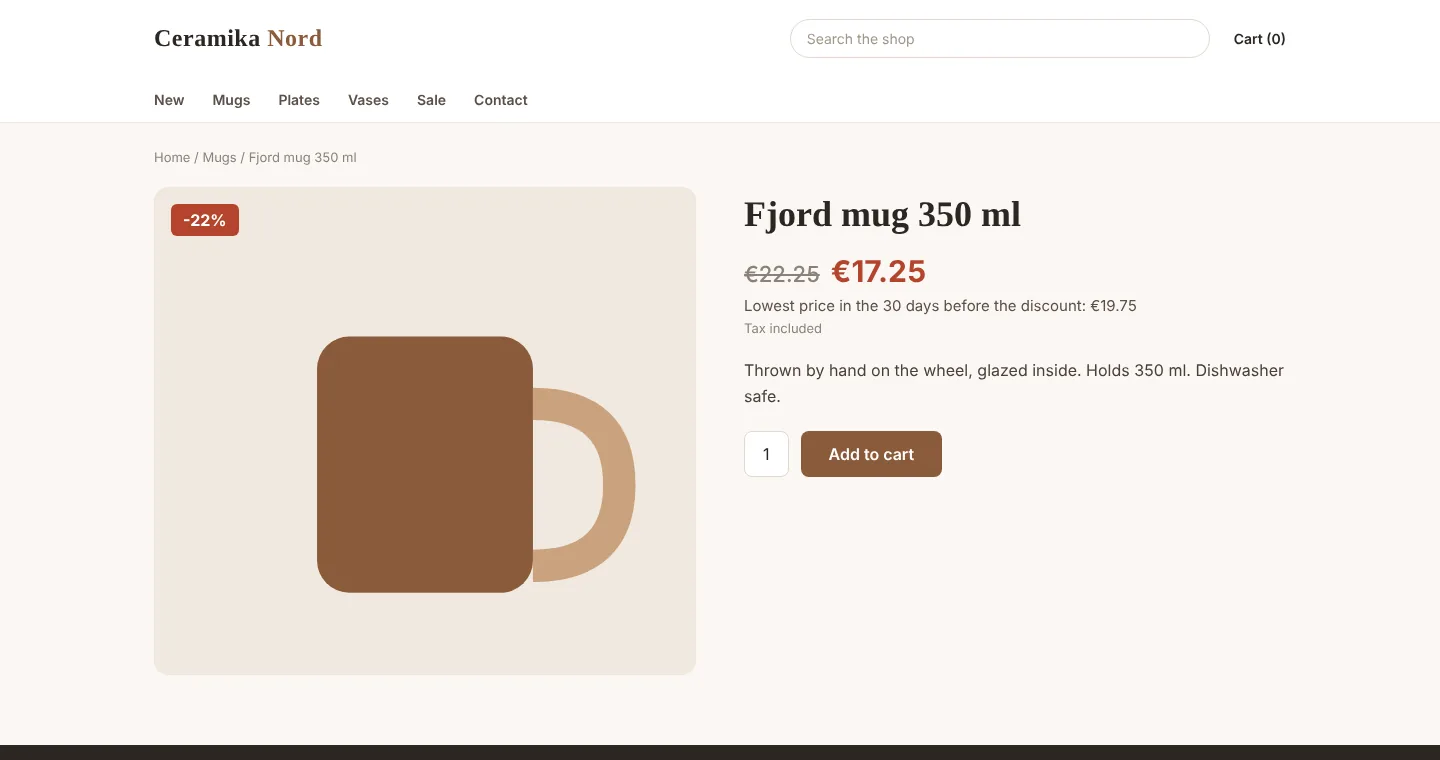
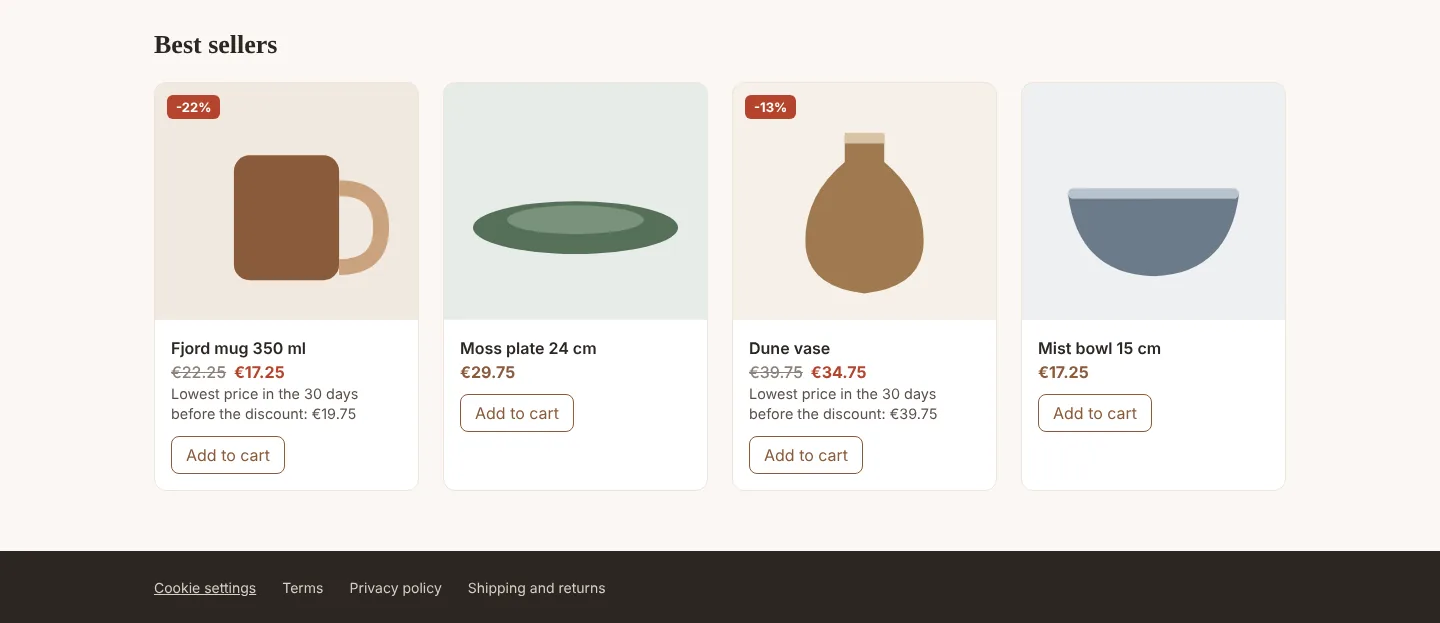
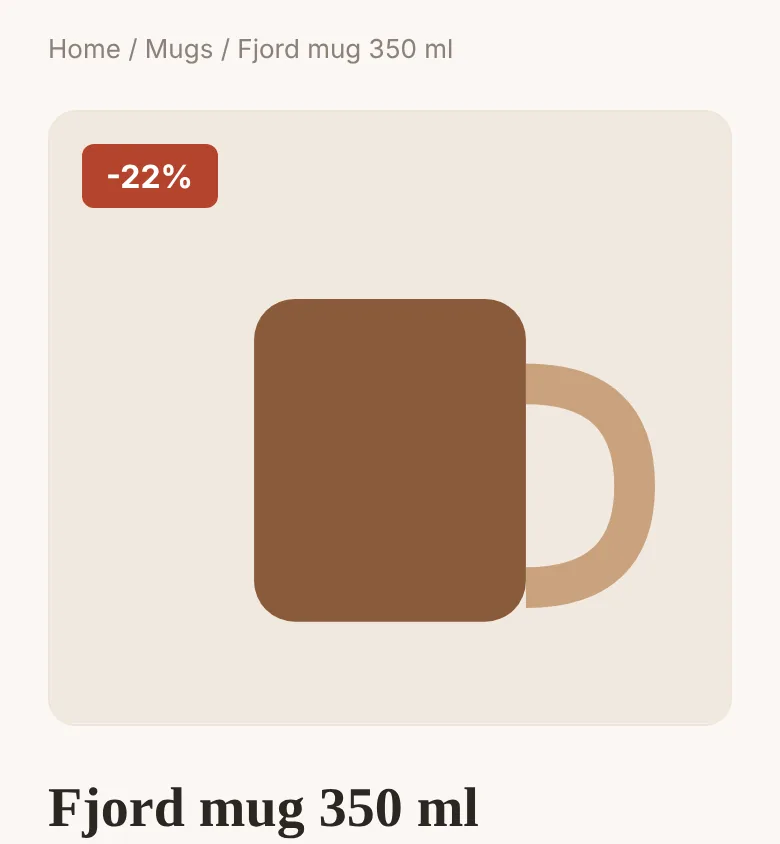
Next to a discounted price, on the product page and in product lists (categories, search, home page), the shop shows “Lowest price in the 30 days before the discount: €19.75”. It is counted from the moment the discount started, so during the same promotion the value does not change day by day, and a deeper discount counts as a new one. A product offered for less than 30 days gets the lowest price since it appeared in the shop. The price is converted to the customer's currency and shown gross or net, like the other prices in the shop.
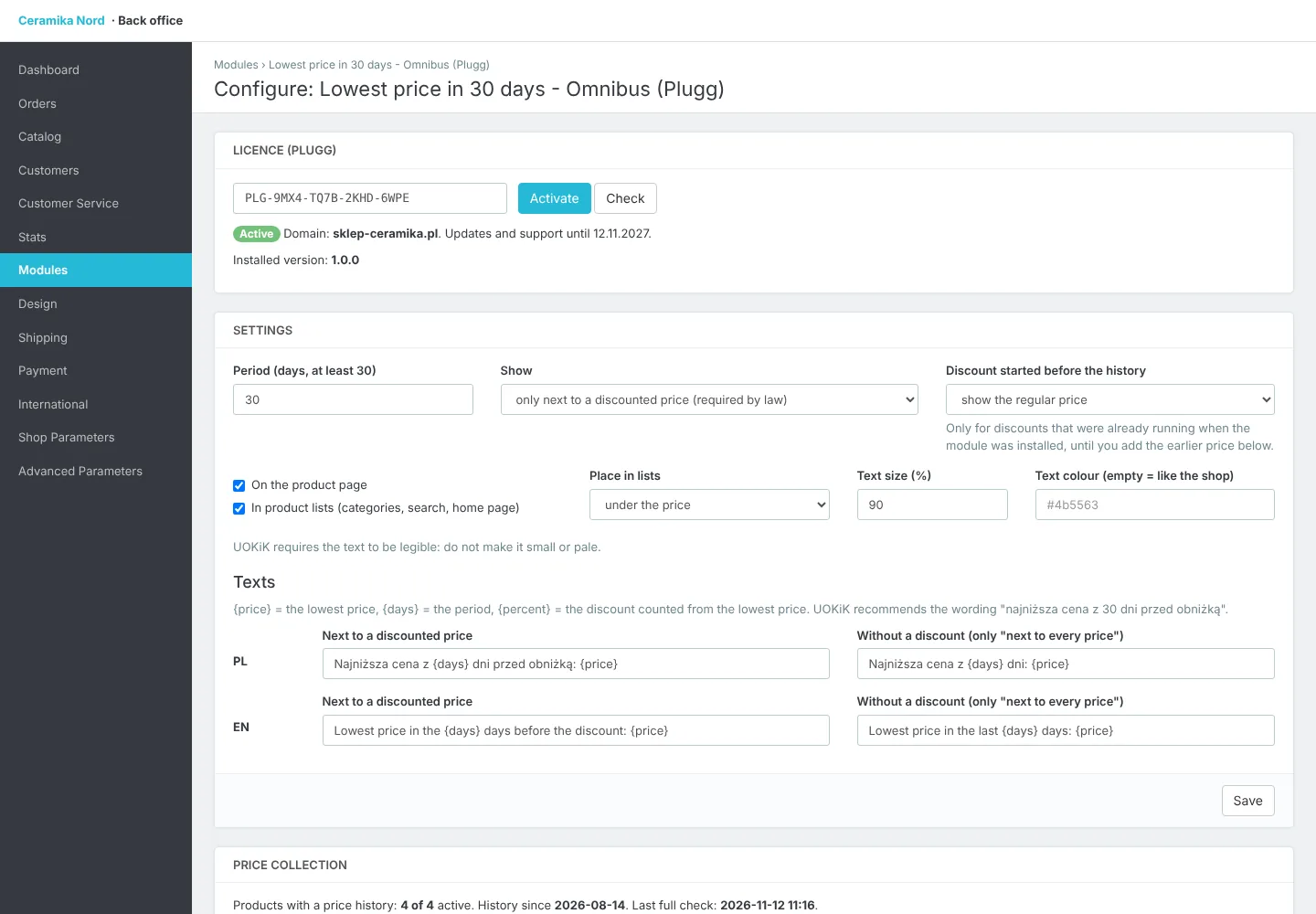
In the back office you set the period (at least 30 days), the place in lists, text size and colour and the text in every shop language, also with the discount in percent counted from the lowest price. The price history tool shows what the customer sees and why, lets you delete a price saved by mistake and add prices from before the installation. The history stays in the database even after the module is uninstalled. Works with PrestaShop 8.1 to 9.x and with page-cache modules, without ionCube.
How the licence works
- 1
You pay once and get a licence key and a .zip file to download.
- 2
Upload the module in PrestaShop and enter the key. The licence is bound to your store's domain (test subdomains work too).
- 3
Updates and support are included for a year. The module keeps working after that, and you can renew updates.