Speed diagnostics
Finds what slows your shop down: a module profiler only for you, page timing before and after changes and a settings audit with one-click fixes.
A further year of updates: 59 zł · PrestaShop versions: 8.1 - 9.x · Version 1.0.1
What it does
- ✓Module and hook profiler only in your browser
- ✓No file editing, switches itself off after an hour
- ✓Timing of the home page, a category, a product and the search
- ✓Before and after comparison
- ✓Audit of PrestaShop and server settings
- ✓Bloated statistics and log tables
- ✓Modules loaded on every page and overrides
- ✓One-click fixes
- ✓PrestaShop 8.1 - 9.x
A slow shop loses customers and Google rankings, and the cause is usually one or two modules, a wrong setting or a clogged database. This module shows exactly what slows your PrestaShop down and what to do about it.
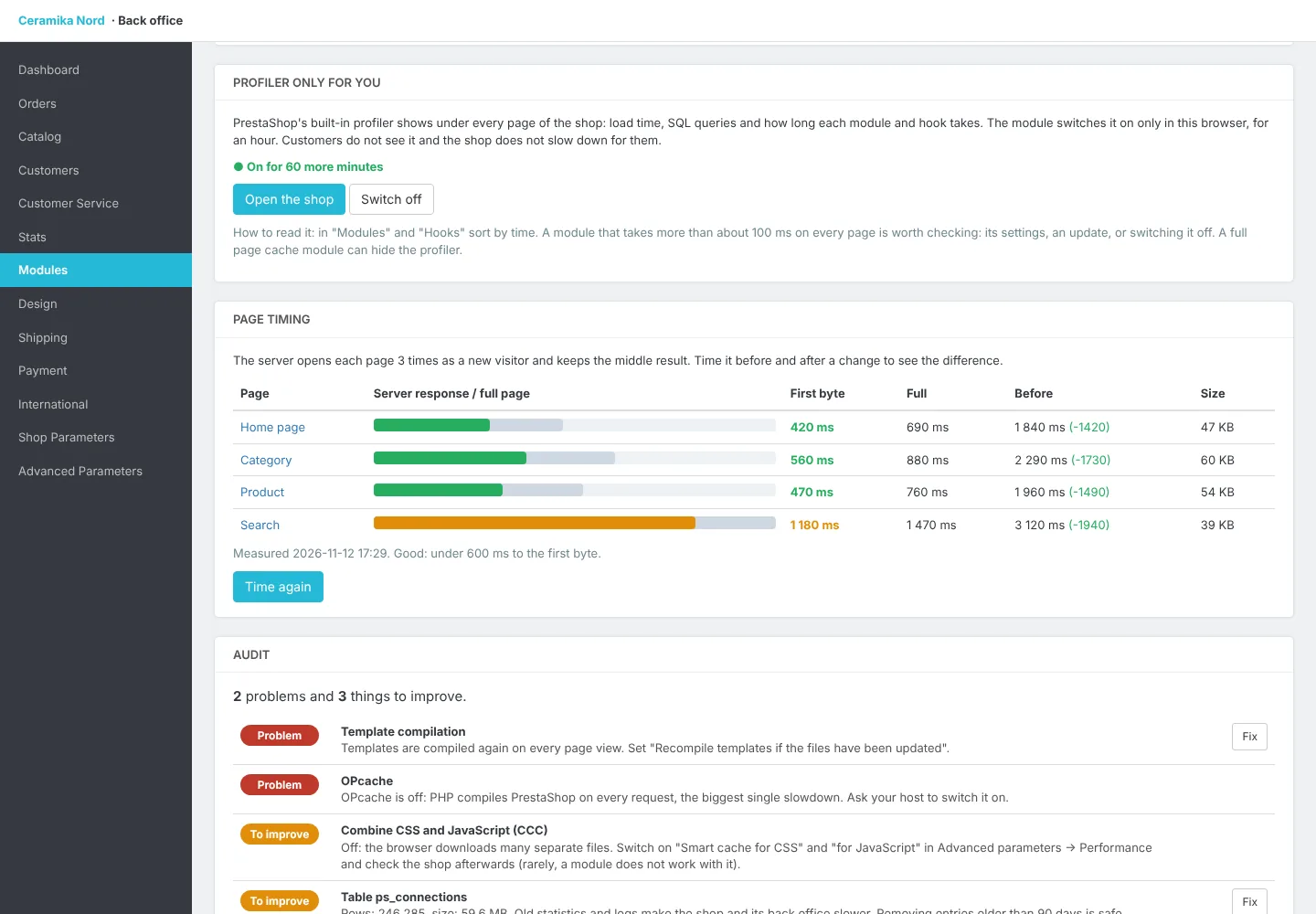
A profiler only for you: one button switches PrestaShop's built-in profiler on only in your browser, for an hour. Under every page of the shop you see the load time, the database queries and how long each module and hook takes. Customers do not see it and the shop does not slow down for them. No editing of files on the server, and after an hour the profiler switches itself off.
Page timing: the module opens the home page, a category, a product and the search as a new visitor, several times, and saves the server response time and the full page time. Time it before and after a change and the module shows the difference.
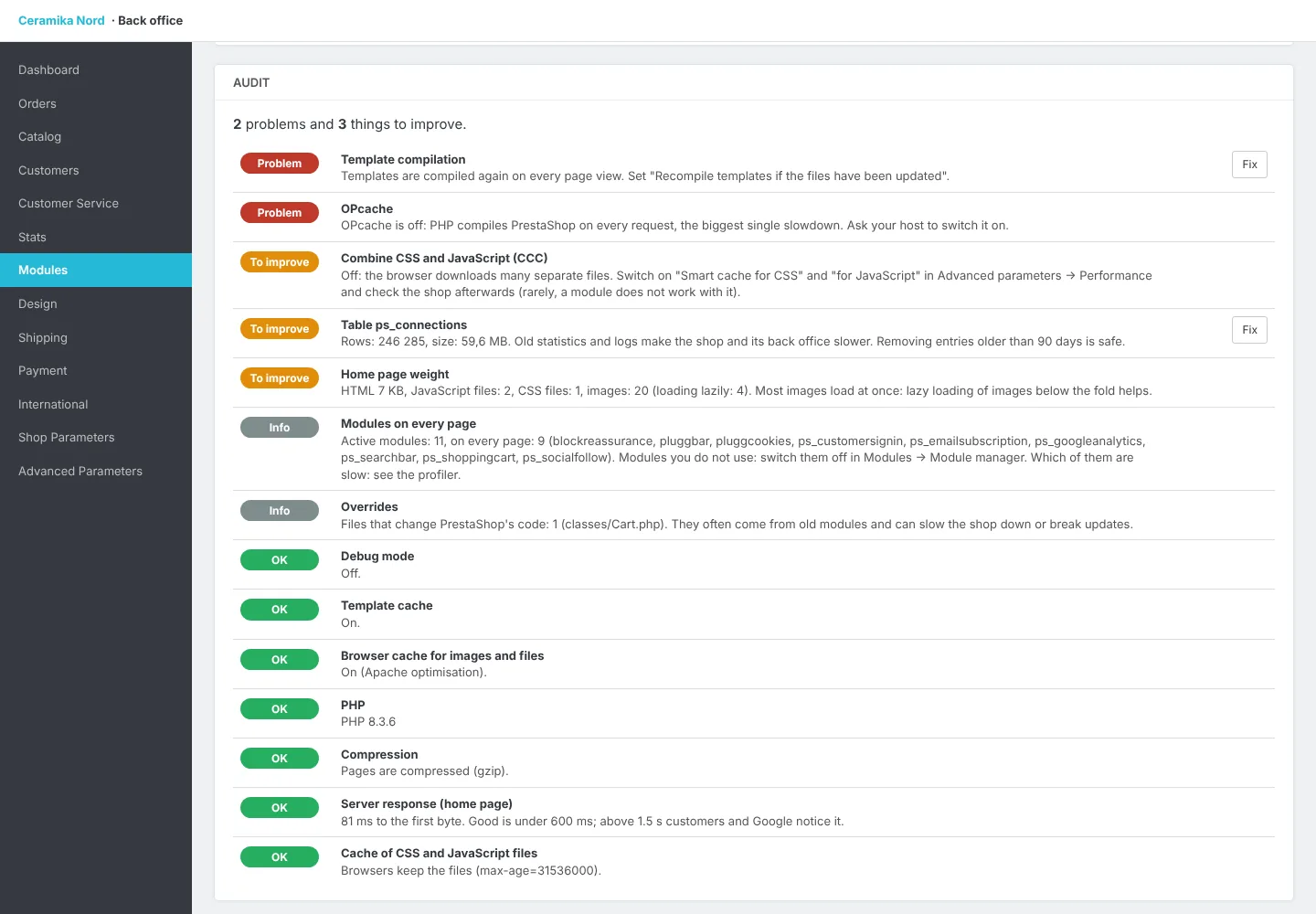
Audit: debug mode, template compilation and cache, combining CSS and JavaScript, browser cache, compression, OPcache, PHP version and memory, bloated statistics and log tables, modules loaded on every page, overrides and the home page weight. Every point comes with simple advice, and safe fixes such as clearing old statistics take one click. Works with PrestaShop 8.1 to 9.x, without ionCube.
How the licence works
- 1
You pay once and get a licence key and a .zip file to download.
- 2
Upload the module in PrestaShop and enter the key. The licence is bound to your store's domain (test subdomains work too).
- 3
Updates and support are included for a year. The module keeps working after that, and you can renew updates.